SLIDE LIBRARY SOFTWARE

A slide library your team will actually use, right inside PowerPoint.

A slide library is your team's centralized presentation hub. SlideCamp ensures everyone finds and uses the latest, on-brand slides—instantly.

A slide library is your team's centralized presentation hub. SlideCamp ensures everyone finds and uses the latest, on-brand slides—instantly.

Why it matters

Why your team needs
a slide library

Why your team needs a slide library

Why your team needs
a slide library

Give your team one place to find, reuse, and trust the slides they need, so every deck is fast to build and always on brand.

Eliminate version control chaos

Stop wondering if you're using the latest version.
A PowerPoint slide library automatically flags outdated slides and updates them with one click.

Stop wondering if you're using the latest version. A PowerPoint slide library automatically flags outdated slides and updates them with one click.

Ensure brand consistency

Every slide comes from one approved source, so logos, colors, and messaging stay perfectly aligned across every deck.

Save hours searching for slides

Find exactly what you need in seconds with keyword search that reads every word on every slide—not just file names.

Onboard new members faster

New hires access your entire presentation library instantly, so they can build presentations like a pro from day one.


Centralize library for your company slides.
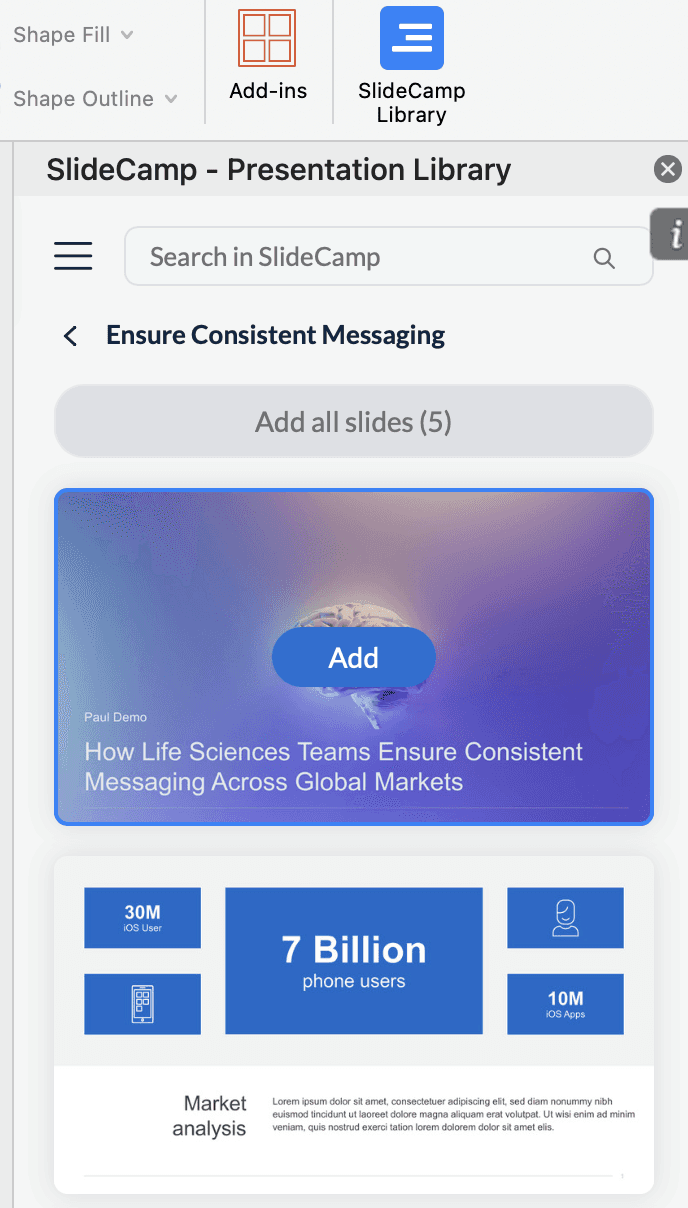
PowerPoint Add-in where you can access your slide library.

SLIDE SEARCH

Find any slide
in seconds, not hours

Find any slide
in seconds, not hours

Right now your team digs through folders, SharePoint, and old email threads just to find one slide. They waste time or end up rebuilding the same deck from scratch. SlideCamp lets you type a keyword in PowerPoint, search your entire slide library, and drag the right slide straight into your deck.

90 %

Less time slide searching

60 %

Faster deck creation

CUSTOMER STORIES

Real teams fixing real slide chaos

Real teams fixing
real slide chaos

Real teams fixing real slide chaos

"SlideCamp turned a 2‑hour deck build into 10 minutes. Marketing finally sleeps!"

David Purdue ( LA Times)

Marketing Manager

"It would take hours to find everything and now it's a mere minutes and I know all data is current."

Nancy Quinton (Stratix)

Sales Content Manager

"No need to download entire decks just to extract a couple of slides. This has saved our teams a huge amount of time."

John Bolton

Sales Director

How to build a slide library in 3 steps

How to build a slide
library in 3 steps

How to build a slide library in 3 steps

STEP 1

Add all approved
slides at once

Add all approved slides
at once.

Drag approved decks into SlideCamp; every slide is auto‑tagged and ready to search inside PowerPoint.

Drag approved decks into SlideCamp; every slide is auto‑tagged and ready to search inside PowerPoint.

Bulk upload in minutes

Auto tag slides

Uploading slides to SlideCamp library.
Adding slides from PowerPoint add-in to your presentation with one click.

STEP 2

Search and insert from PowerPoint

Build winning decks
in half the time

Type a keyword in the SlideCamp add-in, find the right slide in seconds, and drag it straight into your deck. No more digging through folders or Slack threads.

Type a keyword, drag the right slides into your timeline, and export a brand‑perfect presentation. All within PowerPoint.

Keyword search across all slides

Drag and drop into any deck

No more folder hunting

STEP 3

SlideSync keeps every deck current

SlideSync keeps every deck current

Update a master slide once and every linked deck refreshes automatically. No more outdated numbers floating around in the field.

Update a master slide once and every linked deck refreshes automatically. No more outdated numbers floating around in the field.

One edit updates every deck

Share links with view tracking
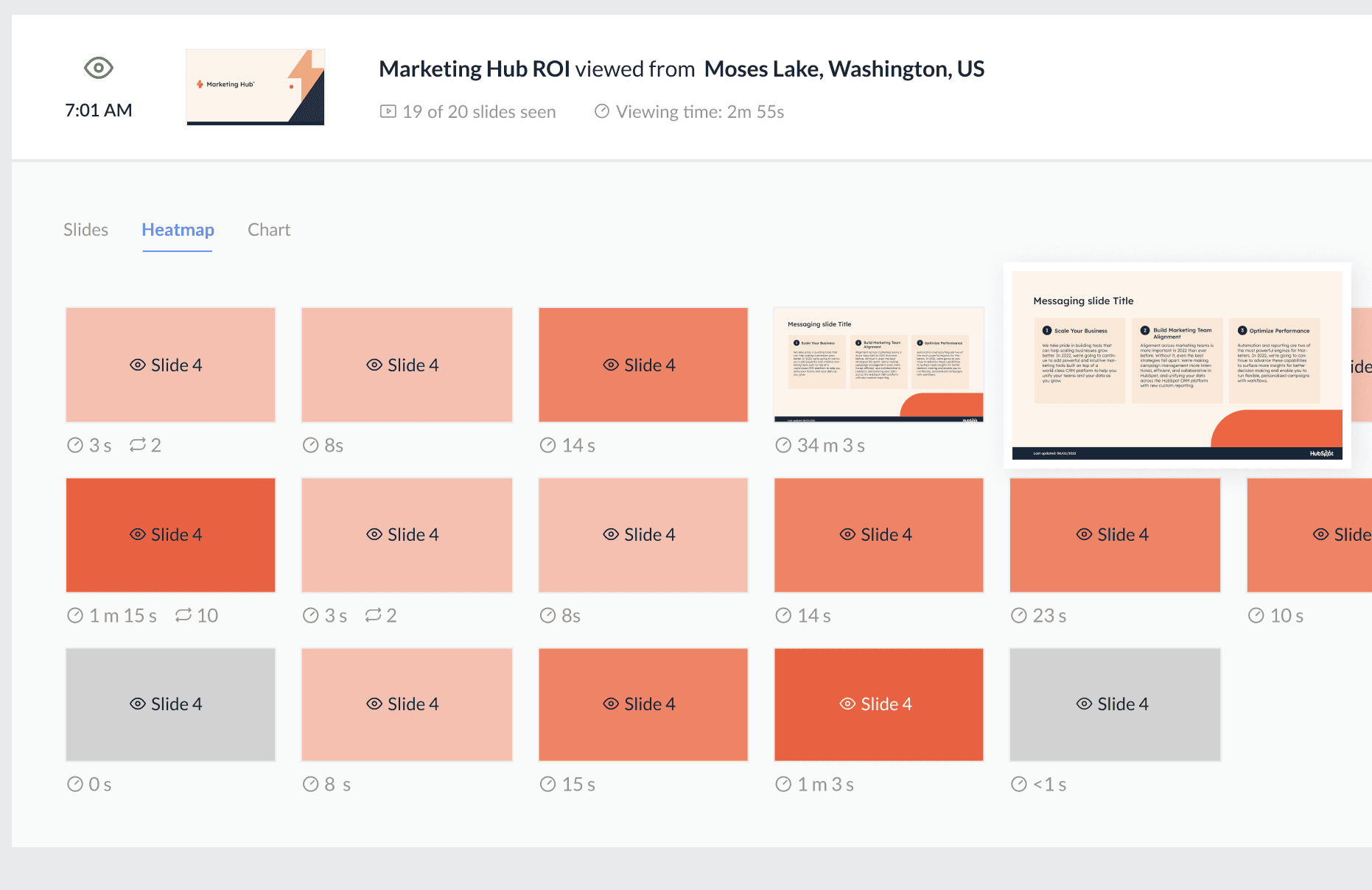
SlideSync automatic updates and slide tracking.

FEATURES

What your slide library should have had from day one

Built for teams who are done digging through folders and rebuilding slides from scratch.

Works inside PowerPoint

Access your entire slide library without leaving PowerPoint. Search, preview, and insert slides in one click.

Find any slide in seconds

Find any slide by keyword, tag, or topic. No more browsing through 50 folders.

One edit, every deck updated

Edit a master slide once. Every linked deck updates automatically. No more version chaos.

Find every duplicate instantly

SlideCamp spots duplicate slides across your library so you can update all instances with one click.

Know which slides actually land

See which slides get used, which get ignored, and which decks your prospects actually open.

Enterprise security, no friction

Control who can upload, edit, or view. Enterprise-grade security without slowing anyone down.

FAQ

Frequently asked questions

What is a slide library?

A centralized place where your team stores, searches, and reuses approved slides. Instead of digging through folders, everyone pulls from one source of truth.

What is a slide library?

What is a slide library?

How is SlideCamp different from SharePoint?

SlideCamp works inside PowerPoint as an add-in. No browser tabs, no folder navigation. Search, preview, and insert slides without leaving your deck.

How is SlideCamp different from SharePoint?

How is SlideCamp different from SharePoint?

Do we need to rebuild our slides to get started?

No. Drag your existing decks in and SlideCamp auto-tags every slide. Most teams are live within a day.

Do we need to rebuild our slides to get started?

Do we need to rebuild our slides to get started?

What happens when a slide gets updated?

SlideSync pushes the change to every linked deck automatically. No manual find-and-replace across files.

What happens when a slide gets updated?

What happens when a slide gets updated?

Can we control who uploads and edits slides?

Yes. Role-based permissions let you decide who can upload, edit, or view. Marketing controls the library, sales uses it.

Can we control who uploads and edits slides?

Can we control who uploads and edits slides?

Does it work with our existing PowerPoint files?

Yes. SlideCamp works with any .pptx file. No conversion, no reformatting. Your slides stay exactly as they are.

Does it work with our existing PowerPoint files?

Does it work with our existing PowerPoint files?

How long does setup take?

Most teams are fully set up in under a day. Bulk upload your decks, invite your team, done.

How long does setup take?

How long does setup take?

See what a real
slide library looks like
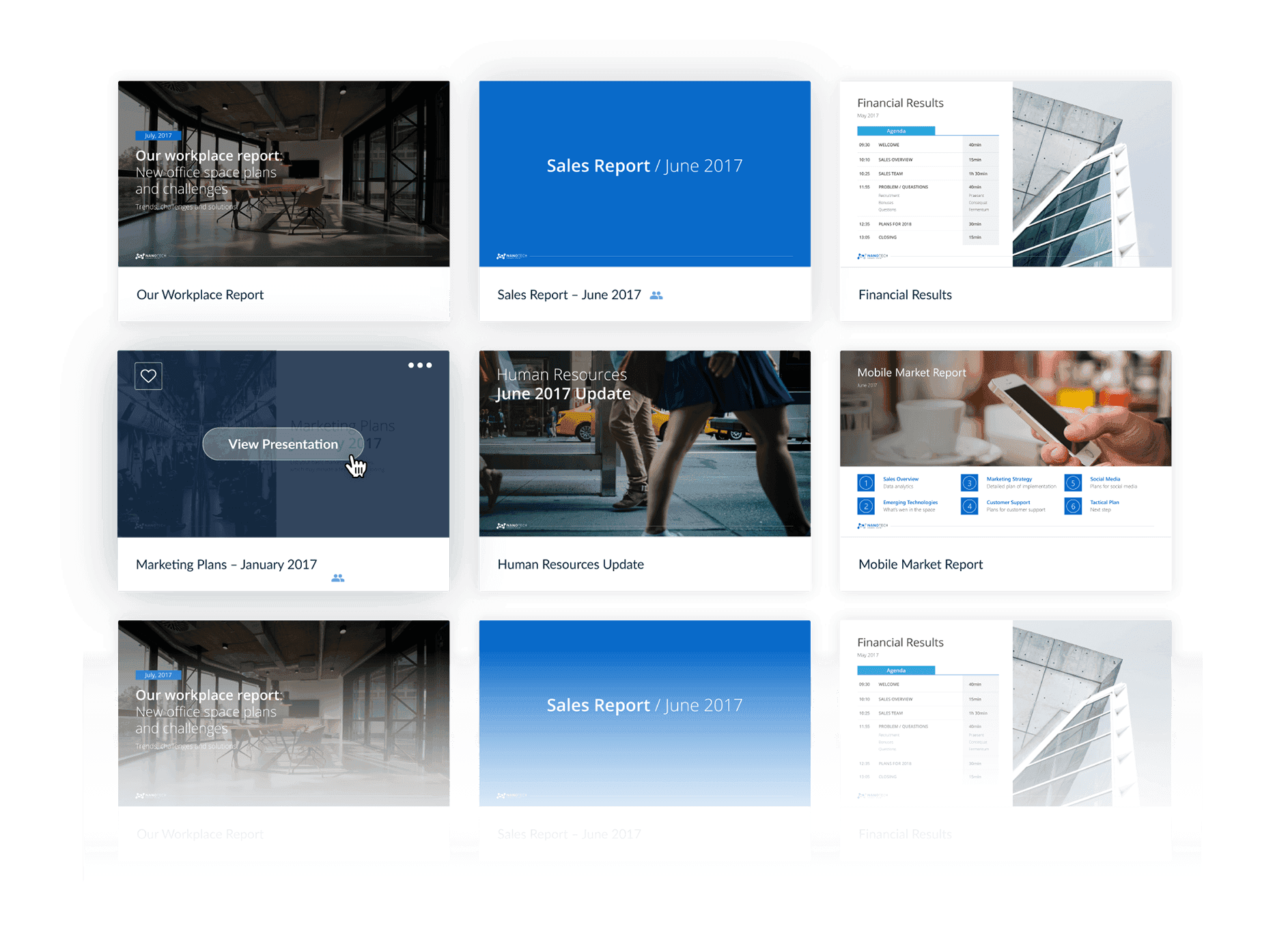
Organized library with presentations.