SLIDECAMP BLOG
Published
Published
What Is Presentation Management? A Guide for Teams Drowning in Slide Decks
What Is Presentation Management? A Guide for Teams Drowning in Slide Decks
Presentation management is how teams organize, find, and reuse slides. Learn what it means, why it matters, and how to get started with your own slide library.

Your team has hundreds of presentations scattered across laptops, SharePoint folders, shared drives, and email threads. Nobody knows which version is current. A sales rep sends an outdated pitch deck with last year's pricing. A marketing manager finds a client-facing proposal using the wrong logo. Someone presents a slide with a product you discontinued six months ago.
Sound familiar?
That problem has a name: presentation management. This article defines what it is, why it matters, and how teams actually solve it.
Presentation Management, Defined
Presentation management is the practice of organizing, storing, updating, and distributing presentation content across a team or organization. It covers how slides are found, reused, kept on-brand, and retired when they become outdated.
People often confuse it with two other things. Presentation design is about how slides look. Presentation delivery is about how you present them. Presentation management is the infrastructure layer between creation and delivery. It's the system that makes sure the right slide reaches the right person, reflects the latest information, and stays on-brand whether it's being used by your London office or your newest sales hire.
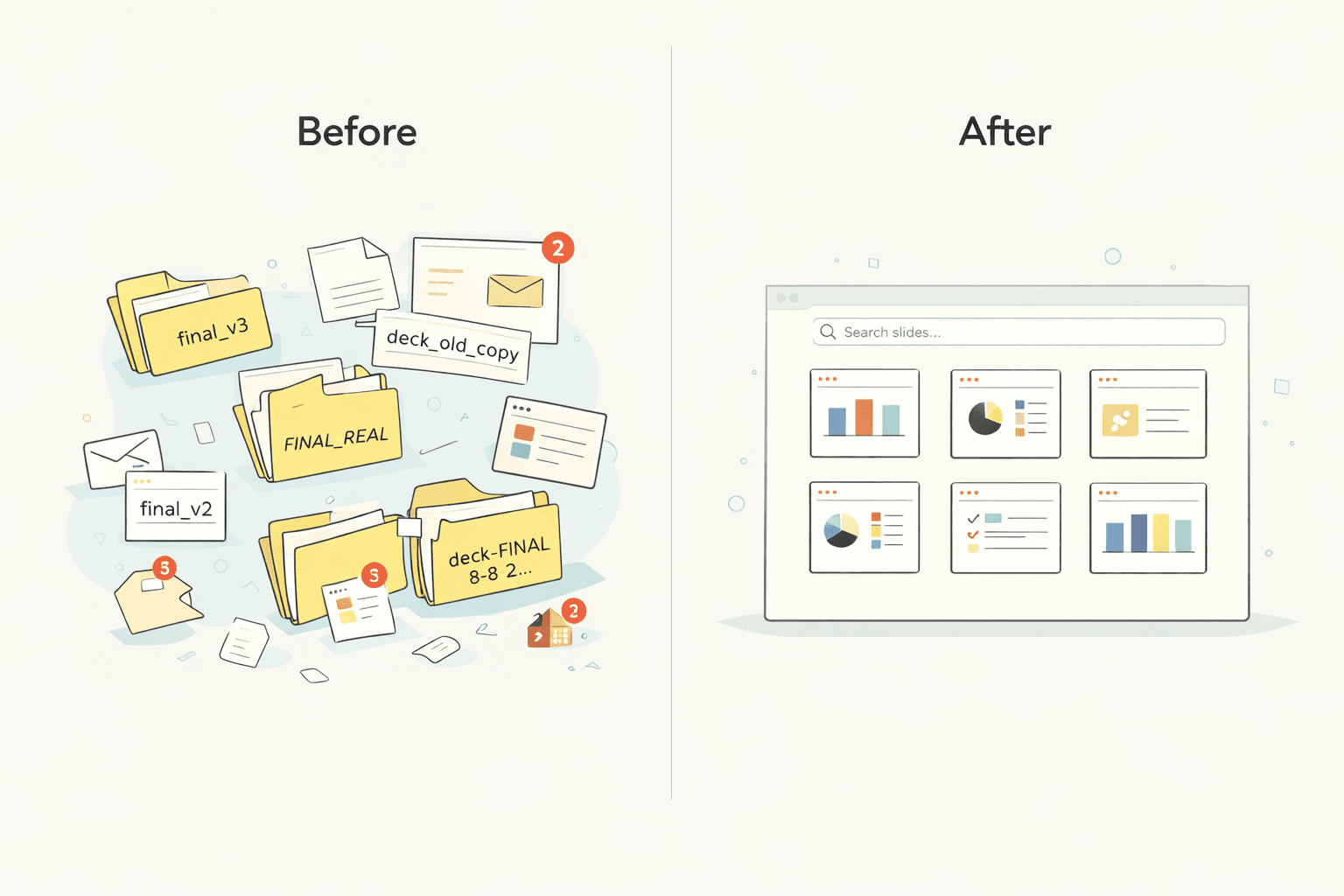
No system? You get slide chaos.
Why Presentation Management Matters More Than You Think
Slide chaos scales faster than most teams expect. The early stage feels harmless. A handful of decks. A couple of templates. One "master" file that everyone promises to use.
Then hiring happens. New products launch. Sales enablement publishes battlecards. Marketing updates messaging. People start copying slides from whatever they can find. That's how a mid-size team can quietly end up creating hundreds of deck variants in a year, without anybody trying.
The real cost shows up in four places.
Time. A 50-person sales team where each rep spends 30 minutes per week hunting for the right slide loses over 1,300 hours a year to that search. That's real selling time gone. When reps can't find the competitive comparison slide they know exists somewhere, they either build a new one (another 30 minutes) or skip it entirely (a worse outcome).
Brand. Off-brand decks go to clients. Not because your team doesn't care, but because they grabbed the first file they found. Logos are from the rebrand you did 18 months ago. The color palette is last quarter's. The legal disclaimer was updated but nobody told the sales team which file had the new version.
Accuracy. Someone presents a slide with discontinued pricing, an old product screenshot, or a retracted claim. Nobody updated it because nobody knew which decks contained that slide. By the time you find out, it's already in front of a client.
Duplication. Five different people recreate the same competitive comparison slide because they can't find the existing one. Each version is slightly different. Now you have five versions in the wild, and none of them are the approved one.
This is not a design problem. It's an operational problem. And it compounds with every new hire, every rebrand, and every quarter you don't address it. See how LA Times manages 450+ decks to understand what a solved version of this problem looks like at scale.
What Does Presentation Management Actually Look Like?
Most teams imagine presentation management as "a folder with better naming conventions." That helps for about a week. Then reality happens.
In practice, presentation management is a set of capabilities that remove friction for the people building decks, while giving control to the people responsible for brand and accuracy. Here's what that looks like in presentation management software.
Centralized storage. One place for all approved slides. Not a shared drive with a template folder, but a real slide library your team trusts. When someone needs the latest pricing table slide, they shouldn't have to guess which folder contains it. They pull it from a known source designed for reuse.
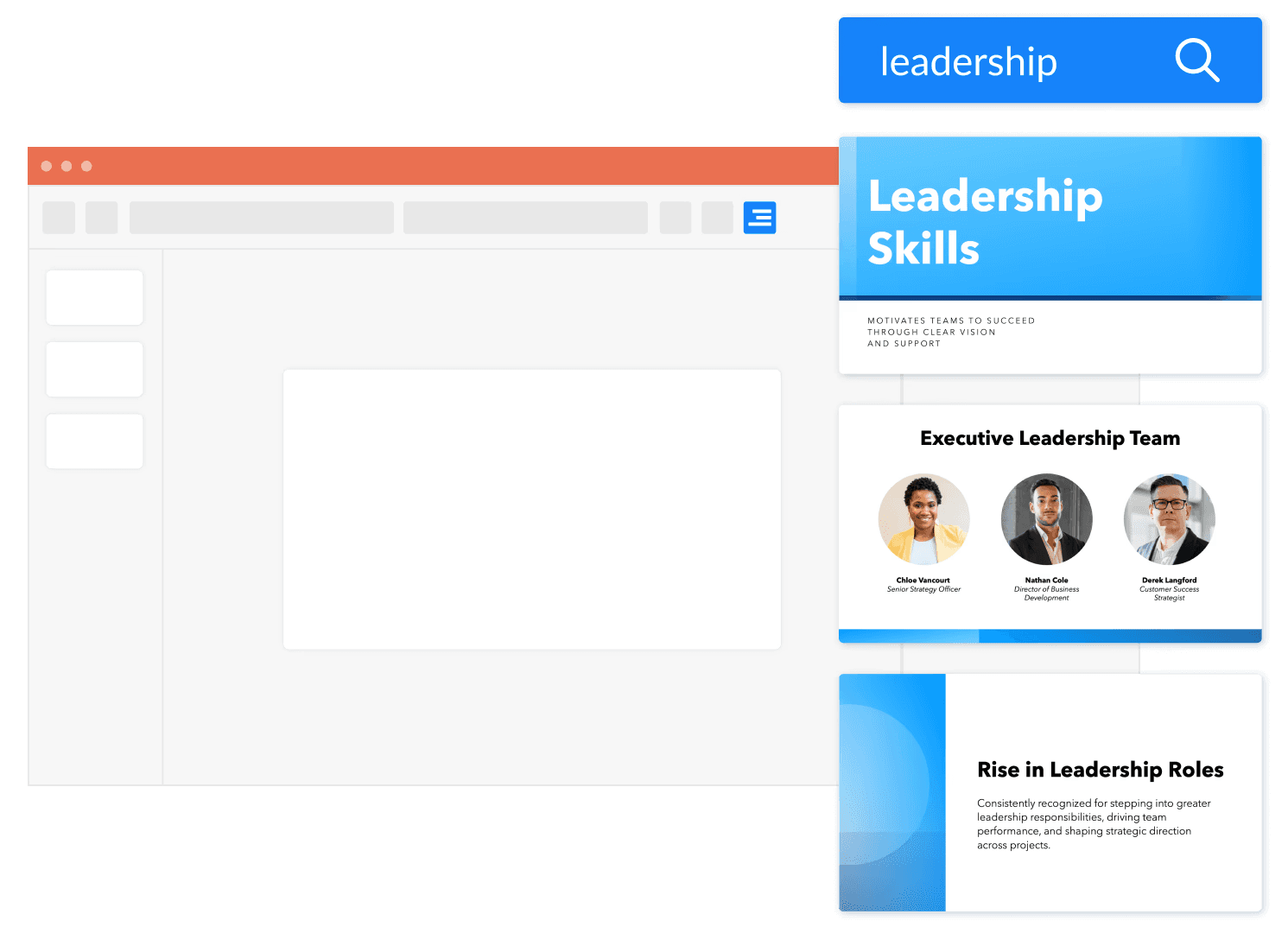
Search that works the way you think. Most people don't remember file names. They remember concepts. "I need that slide with the customer quote about onboarding." "I need the one with the Q3 numbers." Search needs to work at the slide level, not just the file level. You should be able to find a slide by keyword, topic, or tag without opening 20 PowerPoints. This is the single biggest time saver in the category.
Version control that follows the slide, not the file. SharePoint can version a file. Useful, but it doesn't answer the question your team asks every day: "Which version of this slide is the right one?" With slide-level version control, you update a master slide once and the system surfaces that update wherever the slide is used. That's the difference between a storage system and one that actually helps you manage presentations.
Brand governance with guardrails. Governance isn't about locking everything down so nobody can work. It's about keeping the parts that matter consistent while letting teams move quickly. Approved templates and layouts. Controlled fonts and color themes. Protected logos, legal footers, and trademarks. Marketing defines the boundaries; everyone else works inside them.
Usage analytics. If you maintain 600 slides but the team only uses 60, that tells you something. Analytics turns slide maintenance into a feedback loop. You stop guessing what to update. You stop maintaining content nobody looks at.
These five capabilities are what separate a real presentation management system from a folder on a shared drive.
How Teams Manage Presentations Today (And Where Each Approach Breaks Down)
Most teams don't wake up and buy new software. They patch the problem with whatever they already have. That's normal. It also explains why slide chaos persists.
Shared drives (Google Drive, OneDrive, Dropbox). Good at storing files. Not built to manage slides as reusable assets. You can search for files, but results point to a deck, not the specific slide you need. Then you open the file, scroll thumbnails, copy, paste, reformat, and hope it's current. Works fine when you have a small number of decks. Once you're past a few dozen active presentations, folder structure becomes politics. People create their own "final" folders. Duplicate versions multiply.
SharePoint. Stronger for enterprise document management. Has version history and file recovery, which is real value for standard documents. But SharePoint's original "Slide Library" feature (the one that treated individual slides as first-class objects) is not available in SharePoint Online. Microsoft discontinued it. In daily slide work, that means SharePoint behaves like file storage: slides live in full .pptx files, versioning is file-level, and you still assemble decks by copying slides from other decks. If your team depends on reusing individual slides across many presentations, SharePoint becomes a container, not a slide system.
DAM tools (Bynder, Brandfolder). Built for broader brand assets: images, videos, documents, distribution workflows. Great for logos, campaign imagery, and brand guidelines. The mismatch is that most DAM workflows treat a PowerPoint deck as a single document, not as a collection of reusable slides. Even when a DAM accepts .pptx uploads, you typically can't render, search, or manage individual slides within them. A DAM can be part of your ecosystem, but it's not where slide management and slide-level version control live.
Dedicated presentation management software. The category built specifically for PowerPoint presentation management at scale. Slides are indexed individually. Slide-level search is fast. Reuse happens inside PowerPoint. Updates and version control work at the slide level. Governance is built around real slide workflows. Tools in this category include SlideCamp, SlideHub, TeamSlide, and Shufflrr.
Approach | Slide-level search | Version control | Brand governance | Scales past 100 decks |
|---|---|---|---|---|
Shared drives | No | No | No | Poorly |
SharePoint | Limited | File-level only | No | Somewhat |
DAM tools | No | File-level only | Partial | Yes, but not for slides |
Presentation management software | Yes | Slide-level | Yes | Yes |
"We already have SharePoint" is something you hear a lot. It usually turns into "we still have slide chaos." The tools might be fine. The unit of management is wrong.
Getting Started With Presentation Management
You don't need to rebuild everything at once. Here's a practical sequence that works.
1. Audit. Count your decks. Where do they live? Who owns them? Which are current? Most teams are genuinely shocked by the number. The audit itself clarifies the problem and often builds the internal case for fixing it.
2. Identify your top 50 slides. Not decks. Slides. Which 50 individual slides does your team actually reuse? The product overview. The pricing table. The team page. The competitive positioning matrix. Start with those, not with the full archive.
3. Centralize. Pick one system and move the top 50 slides into it. Don't try to migrate everything at once. You'll get stuck in a project that never ends. Get the most-used content into a searchable home first. The rest follows.
4. Set rules. Who can add slides to the library? Who approves updates? Who retires outdated content? Assign an owner. Without this, the library becomes a second version of the problem you were trying to solve, just in a slightly different folder structure.
5. Measure. Track adoption. Are people actually using the library? If not, the problem is usually one of two things: search is too clunky to find what they need, or people default to copying from their last deck because it's faster than learning something new. Both are fixable, but you need to know which one you're dealing with.
For the tactical details on reusing slides in PowerPoint, that walkthrough covers the specifics of working with a slide library from inside your existing workflow.
SlideCamp's PowerPoint add-in helps teams manage presentations from inside PowerPoint. Book a live demo to see how it works with your own content.
FAQ
What is presentation management software?
Software that helps teams organize, search, reuse, and update presentation slides from a central library. It replaces scattered shared drives with a searchable, version-controlled system where every slide has an owner, a home, and a clear update path.
How is presentation management different from presentation design?
Design is about making slides look good. Layout, typography, visual hierarchy. Management is about making sure the right slides reach the right people, stay current, and stay on-brand across your organization. Canva, Beautiful.ai, and Pitch are design tools. SlideCamp, SlideHub, and Shufflrr are management tools. Different problems.
Do I need presentation management software, or is SharePoint enough?
SharePoint stores files but can't search or manage individual slides within presentations. If your team only stores decks and retrieves them occasionally, SharePoint may work. If your team reuses slides across decks and needs version control at the slide level, a dedicated tool will save significant time. The gap between file storage and slide management is larger than it looks.
How much does presentation management software cost?
Pricing varies by vendor. TeamSlide lists slide management at $29 per user per month. Shufflrr lists a presentation management plan at $30 per user per month. SlideHub uses a platform fee plus per-seat pricing. The ROI math is usually straightforward: if each team member saves 30 minutes per week finding and rebuilding slides, you're buying back real hours. And you're reducing the risk of sending off-brand or outdated content to a client.
What is slide management software?
Slide management software is another way of saying presentation management software, with a narrower focus on the slide as the unit of content rather than the deck. Managing presentations at the file level is what shared drives and SharePoint do. Managing at the slide level (indexing, searching, versioning individual slides) is what purpose-built slide management software does.
Your team has hundreds of presentations scattered across laptops, SharePoint folders, shared drives, and email threads. Nobody knows which version is current. A sales rep sends an outdated pitch deck with last year's pricing. A marketing manager finds a client-facing proposal using the wrong logo. Someone presents a slide with a product you discontinued six months ago.
Sound familiar?
That problem has a name: presentation management. This article defines what it is, why it matters, and how teams actually solve it.
Presentation Management, Defined
Presentation management is the practice of organizing, storing, updating, and distributing presentation content across a team or organization. It covers how slides are found, reused, kept on-brand, and retired when they become outdated.
People often confuse it with two other things. Presentation design is about how slides look. Presentation delivery is about how you present them. Presentation management is the infrastructure layer between creation and delivery. It's the system that makes sure the right slide reaches the right person, reflects the latest information, and stays on-brand whether it's being used by your London office or your newest sales hire.
No system? You get slide chaos.
Why Presentation Management Matters More Than You Think
Slide chaos scales faster than most teams expect. The early stage feels harmless. A handful of decks. A couple of templates. One "master" file that everyone promises to use.
Then hiring happens. New products launch. Sales enablement publishes battlecards. Marketing updates messaging. People start copying slides from whatever they can find. That's how a mid-size team can quietly end up creating hundreds of deck variants in a year, without anybody trying.
The real cost shows up in four places.
Time. A 50-person sales team where each rep spends 30 minutes per week hunting for the right slide loses over 1,300 hours a year to that search. That's real selling time gone. When reps can't find the competitive comparison slide they know exists somewhere, they either build a new one (another 30 minutes) or skip it entirely (a worse outcome).
Brand. Off-brand decks go to clients. Not because your team doesn't care, but because they grabbed the first file they found. Logos are from the rebrand you did 18 months ago. The color palette is last quarter's. The legal disclaimer was updated but nobody told the sales team which file had the new version.
Accuracy. Someone presents a slide with discontinued pricing, an old product screenshot, or a retracted claim. Nobody updated it because nobody knew which decks contained that slide. By the time you find out, it's already in front of a client.
Duplication. Five different people recreate the same competitive comparison slide because they can't find the existing one. Each version is slightly different. Now you have five versions in the wild, and none of them are the approved one.
This is not a design problem. It's an operational problem. And it compounds with every new hire, every rebrand, and every quarter you don't address it. See how LA Times manages 450+ decks to understand what a solved version of this problem looks like at scale.
What Does Presentation Management Actually Look Like?
Most teams imagine presentation management as "a folder with better naming conventions." That helps for about a week. Then reality happens.
In practice, presentation management is a set of capabilities that remove friction for the people building decks, while giving control to the people responsible for brand and accuracy. Here's what that looks like in presentation management software.
Centralized storage. One place for all approved slides. Not a shared drive with a template folder, but a real slide library your team trusts. When someone needs the latest pricing table slide, they shouldn't have to guess which folder contains it. They pull it from a known source designed for reuse.
Search that works the way you think. Most people don't remember file names. They remember concepts. "I need that slide with the customer quote about onboarding." "I need the one with the Q3 numbers." Search needs to work at the slide level, not just the file level. You should be able to find a slide by keyword, topic, or tag without opening 20 PowerPoints. This is the single biggest time saver in the category.
Version control that follows the slide, not the file. SharePoint can version a file. Useful, but it doesn't answer the question your team asks every day: "Which version of this slide is the right one?" With slide-level version control, you update a master slide once and the system surfaces that update wherever the slide is used. That's the difference between a storage system and one that actually helps you manage presentations.
Brand governance with guardrails. Governance isn't about locking everything down so nobody can work. It's about keeping the parts that matter consistent while letting teams move quickly. Approved templates and layouts. Controlled fonts and color themes. Protected logos, legal footers, and trademarks. Marketing defines the boundaries; everyone else works inside them.
Usage analytics. If you maintain 600 slides but the team only uses 60, that tells you something. Analytics turns slide maintenance into a feedback loop. You stop guessing what to update. You stop maintaining content nobody looks at.
These five capabilities are what separate a real presentation management system from a folder on a shared drive.
How Teams Manage Presentations Today (And Where Each Approach Breaks Down)
Most teams don't wake up and buy new software. They patch the problem with whatever they already have. That's normal. It also explains why slide chaos persists.
Shared drives (Google Drive, OneDrive, Dropbox). Good at storing files. Not built to manage slides as reusable assets. You can search for files, but results point to a deck, not the specific slide you need. Then you open the file, scroll thumbnails, copy, paste, reformat, and hope it's current. Works fine when you have a small number of decks. Once you're past a few dozen active presentations, folder structure becomes politics. People create their own "final" folders. Duplicate versions multiply.
SharePoint. Stronger for enterprise document management. Has version history and file recovery, which is real value for standard documents. But SharePoint's original "Slide Library" feature (the one that treated individual slides as first-class objects) is not available in SharePoint Online. Microsoft discontinued it. In daily slide work, that means SharePoint behaves like file storage: slides live in full .pptx files, versioning is file-level, and you still assemble decks by copying slides from other decks. If your team depends on reusing individual slides across many presentations, SharePoint becomes a container, not a slide system.
DAM tools (Bynder, Brandfolder). Built for broader brand assets: images, videos, documents, distribution workflows. Great for logos, campaign imagery, and brand guidelines. The mismatch is that most DAM workflows treat a PowerPoint deck as a single document, not as a collection of reusable slides. Even when a DAM accepts .pptx uploads, you typically can't render, search, or manage individual slides within them. A DAM can be part of your ecosystem, but it's not where slide management and slide-level version control live.
Dedicated presentation management software. The category built specifically for PowerPoint presentation management at scale. Slides are indexed individually. Slide-level search is fast. Reuse happens inside PowerPoint. Updates and version control work at the slide level. Governance is built around real slide workflows. Tools in this category include SlideCamp, SlideHub, TeamSlide, and Shufflrr.
Approach | Slide-level search | Version control | Brand governance | Scales past 100 decks |
|---|---|---|---|---|
Shared drives | No | No | No | Poorly |
SharePoint | Limited | File-level only | No | Somewhat |
DAM tools | No | File-level only | Partial | Yes, but not for slides |
Presentation management software | Yes | Slide-level | Yes | Yes |
"We already have SharePoint" is something you hear a lot. It usually turns into "we still have slide chaos." The tools might be fine. The unit of management is wrong.
Getting Started With Presentation Management
You don't need to rebuild everything at once. Here's a practical sequence that works.
1. Audit. Count your decks. Where do they live? Who owns them? Which are current? Most teams are genuinely shocked by the number. The audit itself clarifies the problem and often builds the internal case for fixing it.
2. Identify your top 50 slides. Not decks. Slides. Which 50 individual slides does your team actually reuse? The product overview. The pricing table. The team page. The competitive positioning matrix. Start with those, not with the full archive.
3. Centralize. Pick one system and move the top 50 slides into it. Don't try to migrate everything at once. You'll get stuck in a project that never ends. Get the most-used content into a searchable home first. The rest follows.
4. Set rules. Who can add slides to the library? Who approves updates? Who retires outdated content? Assign an owner. Without this, the library becomes a second version of the problem you were trying to solve, just in a slightly different folder structure.
5. Measure. Track adoption. Are people actually using the library? If not, the problem is usually one of two things: search is too clunky to find what they need, or people default to copying from their last deck because it's faster than learning something new. Both are fixable, but you need to know which one you're dealing with.
For the tactical details on reusing slides in PowerPoint, that walkthrough covers the specifics of working with a slide library from inside your existing workflow.
SlideCamp's PowerPoint add-in helps teams manage presentations from inside PowerPoint. Book a live demo to see how it works with your own content.
FAQ
What is presentation management software?
Software that helps teams organize, search, reuse, and update presentation slides from a central library. It replaces scattered shared drives with a searchable, version-controlled system where every slide has an owner, a home, and a clear update path.
How is presentation management different from presentation design?
Design is about making slides look good. Layout, typography, visual hierarchy. Management is about making sure the right slides reach the right people, stay current, and stay on-brand across your organization. Canva, Beautiful.ai, and Pitch are design tools. SlideCamp, SlideHub, and Shufflrr are management tools. Different problems.
Do I need presentation management software, or is SharePoint enough?
SharePoint stores files but can't search or manage individual slides within presentations. If your team only stores decks and retrieves them occasionally, SharePoint may work. If your team reuses slides across decks and needs version control at the slide level, a dedicated tool will save significant time. The gap between file storage and slide management is larger than it looks.
How much does presentation management software cost?
Pricing varies by vendor. TeamSlide lists slide management at $29 per user per month. Shufflrr lists a presentation management plan at $30 per user per month. SlideHub uses a platform fee plus per-seat pricing. The ROI math is usually straightforward: if each team member saves 30 minutes per week finding and rebuilding slides, you're buying back real hours. And you're reducing the risk of sending off-brand or outdated content to a client.
What is slide management software?
Slide management software is another way of saying presentation management software, with a narrower focus on the slide as the unit of content rather than the deck. Managing presentations at the file level is what shared drives and SharePoint do. Managing at the slide level (indexing, searching, versioning individual slides) is what purpose-built slide management software does.