Trusted by teams at





Easy onboarding

slidecamp search
Find the right
slide instantly
SlideCamp searches inside your slides, not just titles. It reads every word on the slide so you can find what you need fast.
Search by keyword on a slide
Image recognition
easy Version Control
Always the latest slides
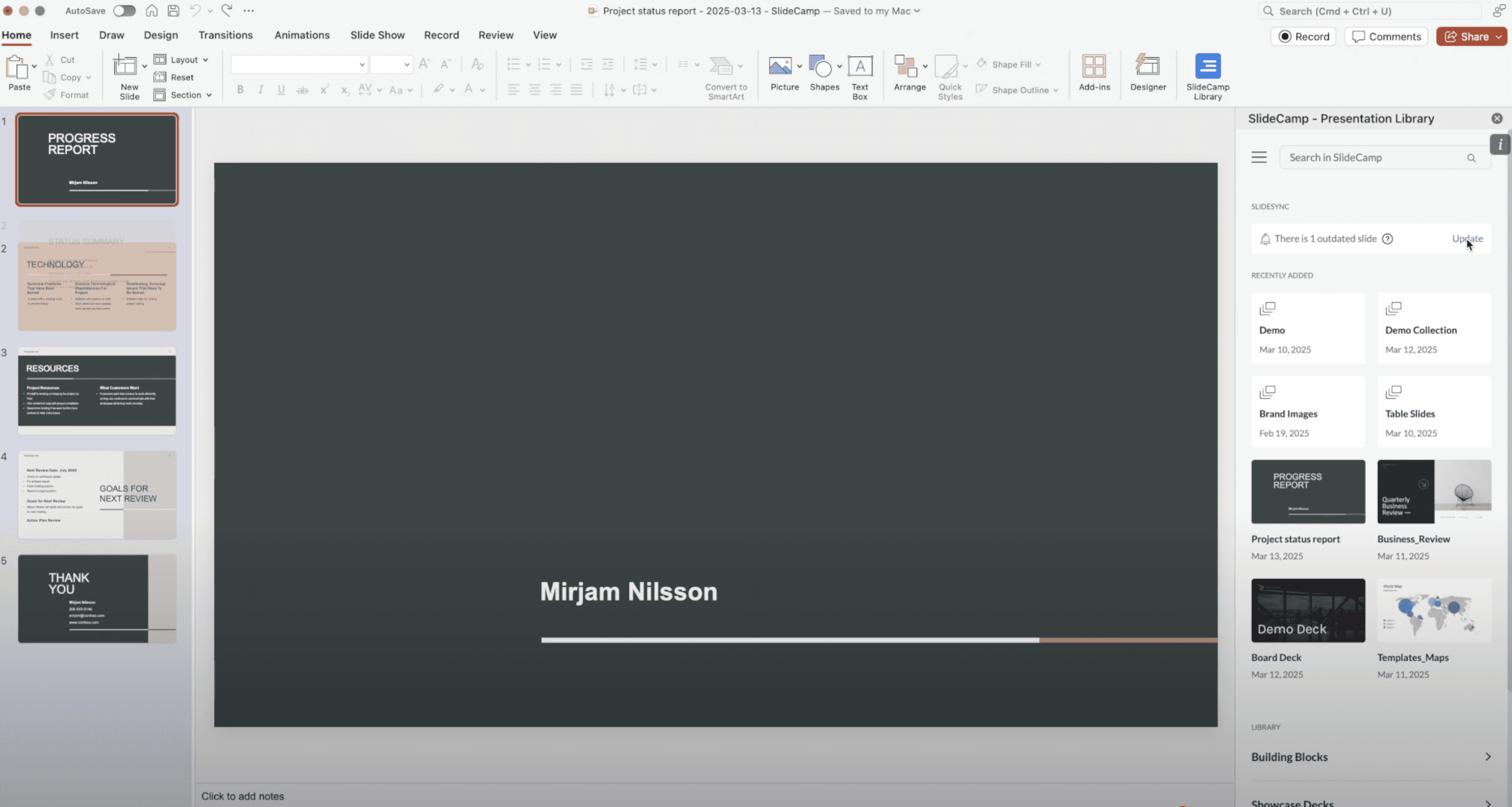
1-click updates
Update outdated slides instantly—no searching, copying, or reformatting required.
Real-time alerts
Get real-time alerts in PowerPoint when a slide in your deck is no longer current.
Stay on brand
Ensure every slide used across the company reflects your latest messaging and design.
Less time wasted,
more work done
SlideCamp streamlines slide updates, eliminating manual edits and significantly boosting productivity while ensuring brand compliance.
1
Source of truth
40-60%
Faster deck creation
90%
Less slide hunting
100%
Inside PowerPoint
FAQ
Frequently asked questions
Can I use SlideCamp directly within PowerPoint?
Yes! SlideCamp includes a Microsoft PowerPoint add-in, so you can update slides directly inside PowerPoint.
Does it work with presentations saved on my desktop or SharePoint?
What is the cost of SlideCamp?
How does SlideCamp protect our company's content?
"The PowerPoint add-in has been a hit. Our advisors are actually excited to use it. All the new features you’ve added have been super helpful. It’s honestly been a lifesaver for us.”

Autumn Perry
NewEdge Capital Group
Simplify how your team creates presentations